

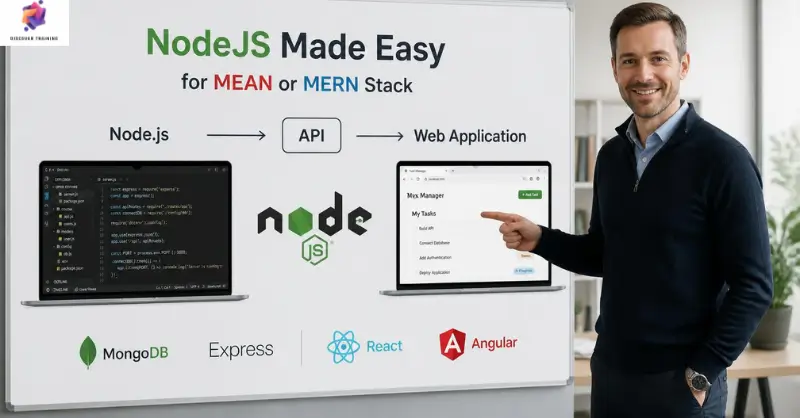
NodeJS made easy for MEAN or MERN Stack
Learn Node.js, Express, MongoDB, REST APIs, React, testing, Docker and AWS deployment through a structured MEAN and MERN stack course.
 365 Students
NodeJS made easy for MEAN or MERN Stack Course Reviews

An outstanding online course with clear explanations and practical examples. I could study at my own pace and still feel fully supported throughout. It’s truly boosted my confidence and career prospects

The course was well-structured, engaging, and easy to follow. The flexibility made it perfect alongside my full-time job. I’ve gained valuable, real-world skills that I can apply immediately.

Excellent learning experience from start to finish. The content was professional, up-to-date, and highly relevant. I would highly recommend it to anyone looking to upskill online.
Course Curriculum
| Unit 01: Start here | |||
| Module 01: Course and Instructor Introduction | 00:03:00 | ||
| Module 02: GITHub URL | 00:01:00 | ||
| Unit 02: The Basics | |||
| Module 01: What is Node? | 00:05:00 | ||
| Module 02: Why Node? | 00:04:00 | ||
| Module 03: NodeJS package manager NPM | 00:02:00 | ||
| Module 04: Install Node and Visual Studio Code | 00:02:00 | ||
| Unit 03: Node in action | |||
| Module 01: Create a simple node application | 00:04:00 | ||
| Module 02: Adding Dependencies | 00:04:00 | ||
| Module 03: OS Module | 00:05:00 | ||
| Module 04: Write a file sync and async | 00:07:00 | ||
| Module 05: Use Arrow Functions | 00:02:00 | ||
| Module 06: Append and Rename | 00:03:00 | ||
| Module 07: Read and Delete | 00:04:00 | ||
| Module 08: HTTP module in action | 00:03:00 | ||
| Module 09: Return JSON Response | 00:04:00 | ||
| Module 10: Use nodemon | 00:02:00 | ||
| Module 11: Scripts block | 00:04:00 | ||
| Unit 04: Express | |||
| Module 01: Introduction | 00:04:00 | ||
| Module 02: What is REST? | 00:06:00 | ||
| Module 03: Create an Express App | 00:02:00 | ||
| Module 04: Express In Action | 00:05:00 | ||
| Module 05: Handle other HTTP Methods | 00:06:00 | ||
| Module 06: Use Router | 00:05:00 | ||
| Module 07: Create Customer Endpoint | 00:05:00 | ||
| Unit 05: MongoDB | |||
| Module 01: Introduction | 00:02:00 | ||
| Module 02: Mongo Command Line | 00:07:00 | ||
| Module 03: Steps | 00:03:00 | ||
| Module 04: Use Mongo Client | 00:04:00 | ||
| Module 05: Implement Find All | 00:04:00 | ||
| Module 06: GET single product | 00:04:00 | ||
| Module 07: What is body-parser? | 00:03:00 | ||
| Module 08: Configure body-parser | 00:02:00 | ||
| Module 09: Create Product | 00:04:00 | ||
| Module 10: Update Product | 00:06:00 | ||
| Module 11: Delete Product | 00:02:00 | ||
| Unit 06: Mongoose | |||
| Module 01: Introduction | 00:04:00 | ||
| Module 02: Steps | 00:01:00 | ||
| Module 03: Create Project | 00:02:00 | ||
| Module 04: Create Server JS | 00:02:00 | ||
| Module 05: Create and Configure Product Controller | 00:02:00 | ||
| Module 06: Create Mongoose Schema and Model | 00:02:00 | ||
| Module 07: Create | 00:04:00 | ||
| Module 08: Test and Flow | 00:03:00 | ||
| Module 09: Read | 00:03:00 | ||
| Module 10: Update | 00:04:00 | ||
| Module 11: Delete | 00:02:00 | ||
| Unit 07: Axios REST Client | |||
| Module 01: Introduction | 00:01:00 | ||
| Module 02: Steps | 00:01:00 | ||
| Module 03: Create the Project | 00:02:00 | ||
| Module 04: Get All | 00:02:00 | ||
| Module 05: Create and Update | 00:04:00 | ||
| Module 06: Get and Delete | 00:03:00 | ||
| Unit 08: Integration Testing using Mocha and Chai | |||
| Module 01: Mocha and Chai | 00:03:00 | ||
| Module 02: Steps | 00:02:00 | ||
| Module 03: Install Dependencies | 00:01:00 | ||
| Module 04: First Test | 00:06:00 | ||
| Module 05: Handle Failures | 00:02:00 | ||
| Module 06: Test Create and Get | 00:02:00 | ||
| Module 07: Before and after methods | 00:03:00 | ||
| Unit 09: Refactor and Modularize the Application | |||
| Module 01: Introduction | 00:03:00 | ||
| Module 02: Steps | 00:03:00 | ||
| Module 03: Create DB Connection | 00:04:00 | ||
| Module 04: Mongoose Static Methods | 00:03:00 | ||
| Module 05: Create the Model and DAO | 00:07:00 | ||
| Module 06: Create the Controller | 00:08:00 | ||
| Module 07: Map Routes | 00:05:00 | ||
| Module 08: Test | 00:02:00 | ||
| Module 09: Use src folder | 00:02:00 | ||
| Module 10: Use Babel and ES6 Syntax | 00:06:00 | ||
| Unit 10: Patient Clinical Data Project | |||
| Module 01: Usecase | 00:03:00 | ||
| Module 02: Create the Project | 00:03:00 | ||
| Module 03: Setup Configuration | 00:04:00 | ||
| Module 04: Create Model | 00:05:00 | ||
| Module 05: Implement Patient DAO | 00:03:00 | ||
| Module 06: Create Patient Controller | 00:04:00 | ||
| Module 07: Create and Configure Routes | 00:03:00 | ||
| Module 08: Create Clinical DAO and Controller | 00:07:00 | ||
| Module 09: Run and Test | 00:06:00 | ||
| Module 10: Fix Bug and Test | 00:02:00 | ||
| Unit 11: Dockerize | |||
| Module 01: Introduction | 00:02:00 | ||
| Module 02: Install Docker Desktop | 00:01:00 | ||
| Module 03: Steps | 00:06:00 | ||
| Module 04: Create Dockerfile | 00:07:00 | ||
| Module 05: Create docker-compose.yml | 00:05:00 | ||
| Module 06: docker compose up | 00:05:00 | ||
| Unit 12: Deploy to AWS EC | |||
| Module 01: Introduction | 00:01:00 | ||
| Module 02: AWS EC2 Introduction | 00:03:00 | ||
| Module 03: Launch an EC2 Instance | 00:05:00 | ||
| Module 04: Windows – Use MobaXterm and connect | 00:04:00 | ||
| Module 05: Install Mongo | 00:04:00 | ||
| Module 06: Install Node and Git | 00:02:00 | ||
| Module 07: Push Project to Github | 00:04:00 | ||
| Module 08: Run the APP on EC2 and Test | 00:04:00 | ||
| Unit 13: Create React Frontend | |||
| Module 01: Introduction | 00:01:00 | ||
| Module 02: Install React CLI | 00:01:00 | ||
| Module 03: Create Project | 00:06:00 | ||
| Module 04: Create Components | 00:03:00 | ||
| Module 05: Configure Routing | 00:04:00 | ||
| Module 06: Home Component | 00:03:00 | ||
| Module 07: Use State and React Hook | 00:04:00 | ||
| Module 08: Render Rows | 00:03:00 | ||
| Module 09: Enable CORS on the Node Project | 00:04:00 | ||
| Module 10: Test Home Page | 00:03:00 | ||
| Module 11: Add Patient – Create Form | 00:05:00 | ||
| Module 12: Handle Submit | 00:04:00 | ||
| Module 13: Add Clinical’s – Create Form | 00:07:00 | ||
| Module 14: Add Clinical’s – Handle Submit | 00:04:00 | ||
| Unit 14: PostgreSQL | |||
| Module 01: Introduction | 00:02:00 | ||
| Module 02: Steps | 00:01:00 | ||
| Module 03: Setup the database | 00:03:00 | ||
| Module 04: Setup Project | 00:02:00 | ||
| Module 05: Get All | 00:05:00 | ||
| Module 06: Get One | 00:03:00 | ||
| Module 07: Create | 00:03:00 | ||
| Module 08: Return after Insert | 00:02:00 | ||
| Module 09: Update | 00:03:00 | ||
| Assignment | |||
| Assignment -NodeJS made easy for MEAN or MERN Stack | 00:00:00 | ||
-
 Number of Units:
117
Number of Units:
117 -
 Access:
1 Year
Access:
1 Year -
 Duration:
6 hours, 46 minutes
Duration:
6 hours, 46 minutes -
 PDF Certificate
Included
PDF Certificate
Included

