
Learn CSS without coding using Yellow Pencil to customise WordPress pages, blog posts, layouts and website designs through visual editing.
( 29 Reviews )
369 Students
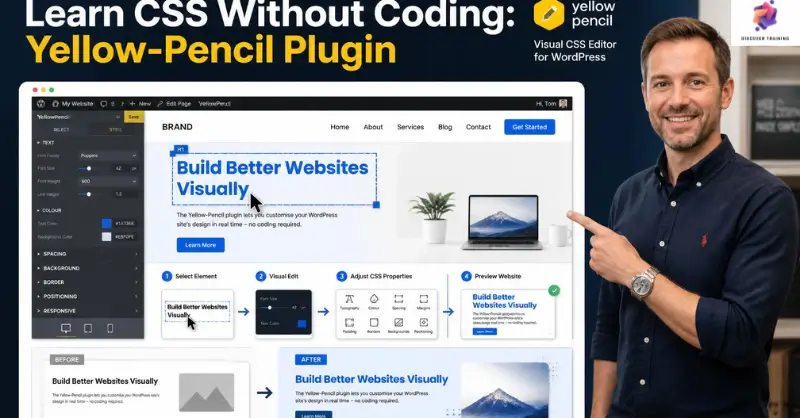
Learn CSS Without Coding Yellow Pencil Plugin introduces a visual approach to website styling without requiring learners to write CSS manually. This Yellow Pencil CSS course covers plugin installation, visual editing, page styling and WordPress customisation. Furthermore, learners explore CSS without coding through a visual CSS editor, allowing them to modify website elements more intuitively. The curriculum also covers blog post styling, exporting CSS and combining customised styles with a theme. Consequently, this WordPress design course provides a straightforward route into visual website design.
Transform the appearance of a WordPress website without getting lost in lines of code. This Yellow Pencil CSS course introduces learners to CSS without coding, beginning with plugin installation and the foundations of visual editing. First, the programme explores the Yellow Pencil plugin tutorial approach, helping learners discover how a visual CSS editor can simplify website styling. Moreover, the lessons introduce different style ideas that support creative page presentation.
Next, learners explore WordPress CSS customisation across multiple pages and blog posts. Through website design without coding, the course demonstrates how visual adjustments can influence layouts and page presentation. In addition, the programme supports CSS styling for beginners by focusing on accessible editing techniques rather than traditional coding methods. As a result, learners can explore visual website customisation within a familiar WordPress environment.
Finally, the course introduces advanced options, including exporting CSS and bundling customised styles with a theme. Therefore, this WordPress design course provides a useful pathway for website owners, designers and beginners who want greater control over their site’s appearance. The Yellow Pencil WordPress training also includes an assignment, helping learners consolidate the main concepts covered throughout the programme.
Once the Learn CSS Without Coding Yellow Pencil Plugin is successfully completed, the learner can obtain the PDF certificate without any cost. The hard copy of the certificate is also available for £4.99. However, anyone ordering the hard copy certificate from outside the United Kingdom may incur an additional delivery charge.
WordPress Designer
Creates and customises WordPress websites, focusing on layouts, visual presentation and user-facing design.
Average Salary: £40,000 – £55,000 per year
Web Designer
Designs website layouts, page structures and visual interfaces for businesses and digital projects.
Average Salary: £40,000 – £60,000 per year
WordPress Developer
Builds, customises and maintains WordPress websites, themes and website functionality.
Average Salary: £45,000 – £65,000 per year
UI Designer
Creates visual interfaces that improve website presentation, navigation and user interaction.
Average Salary: £40,000 – £60,000 per year
Website Content Designer
Combines content presentation with visual page design to create clear and engaging digital experiences.
Average Salary: £40,000 – £55,000 per year
Digital Designer
Produces visual designs for websites and digital platforms while supporting consistent online branding.
Average Salary: £40,000 – £60,000 per year
A Yellow Pencil CSS course teaches learners how to customise website appearance visually through the Yellow Pencil WordPress plugin.
Yes. CSS without coding uses visual controls to make website styling changes without requiring learners to write CSS manually.
The Yellow Pencil plugin tutorial covers installation, styling pages, editing blog posts, exporting CSS and working with customised themes.
Yes. The WordPress design course is suitable for beginners who want to explore visual website styling and customisation.
A visual CSS editor allows users to modify website appearance through an interface rather than writing CSS code directly.
An outstanding online course with clear explanations and practical examples. I could study at my own pace and still feel fully supported throughout. It’s truly boosted my confidence and career prospects
The course was well-structured, engaging, and easy to follow. The flexibility made it perfect alongside my full-time job. I’ve gained valuable, real-world skills that I can apply immediately.
Excellent learning experience from start to finish. The content was professional, up-to-date, and highly relevant. I would highly recommend it to anyone looking to upskill online.
| Module 01: Introduction | |||
| Introduction | 00:05:00 | ||
| Module 02: Yellow-Pencil Installation in Wordpress | |||
| Yellow-Pencil Installation in WordPress | 00:21:00 | ||
| Module 03: Wordpress Login Page Customization | |||
| First Style Idea | 00:14:00 | ||
| Second Style Idea | 00:08:00 | ||
| Third Style Idea | 00:08:00 | ||
| Module 04: Wordpress Page Customization | |||
| First Page Styling | 00:23:00 | ||
| Second Page Styling | 00:11:00 | ||
| Module 05: Style The Blog Posts of Wordpress Website | |||
| Style The Blog Posts of WordPress Website | 00:06:00 | ||
| Module 06: Advanced Tricks: Export CSS and Bundle with Theme | |||
| Advanced Tricks: Export CSS and Bundle with Theme | 00:11:00 | ||
| Assignment | |||
| Assignment – Learn CSS Without Coding: Yellow-Pencil Plugin | 00:00:00 | ||
Yes, Discover Training provides accredited and CPD-certified courses, ensuring learners receive recognised qualifications that support career progression and professional compliance.
Anyone can enrol, including students, professionals, job seekers, career changers, and organisations. Most courses do not require previous experience, making them accessible to learners at all levels.
Discover Training offers courses across multiple sectors, including business, health and safety, compliance, leadership, IT, personal development, and professional skills training.
You will have 14 days to revoke your Course purchase from your purchase date. Regrettably, refunds are not allowed after your purchase have been approved, and materials have been posted to the student’s dashboard or accessed.
Yes, learners receive a downloadable digital certificate upon successful completion, suitable for CPD records, CVs, and professional portfolios.
14-Day Money-Back Guarantee

