
Learn how to use Restream for multistreaming, OBS setup, unified chat, analytics, notifications and live broadcasts across multiple platforms.
( 26 Reviews )
265 Students
Go Live Everywhere with Restream is an online training course designed to introduce learners to multistreaming and coordinated live broadcasts across popular platforms. The curriculum covers Restream setup, channel connections, OBS integration, unified chat, analytics, pre-recorded broadcasts, title management and automated notifications. Furthermore, learners explore how Restream can simplify social media live streaming by bringing several destinations into one workflow. From basic configuration to more organised broadcasting, this course provides a clear route for creators, marketers and aspiring streamers who want to develop effective live video broadcasting routines.
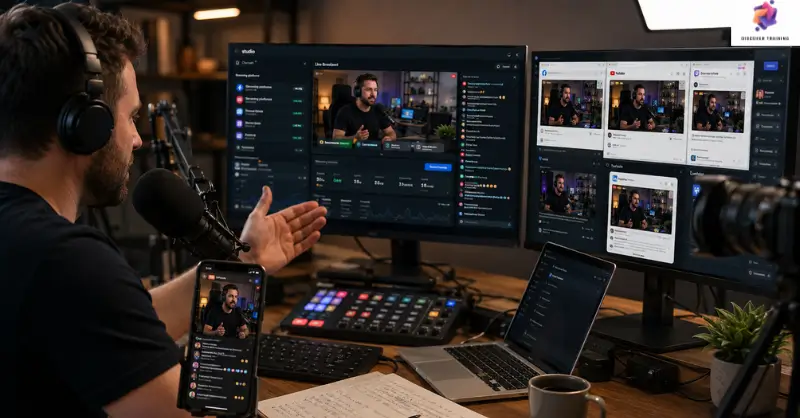
One broadcast can reach several audiences at once when the right streaming workflow is in place. Go Live Everywhere with Restream introduces learners to multistreaming with Restream, showing how creators can coordinate broadcasts across Facebook, YouTube, Twitch and other supported platforms. The course begins with live streaming for beginners, then introduces the Restream dashboard, OBS setup, channel connections and platform selection. As a result, learners can explore how a single broadcast may be distributed efficiently rather than managed separately on every destination.
Next, the training explores the Restream tutorial topics needed for organised broadcasting, including unified comments, chatbot features, analytics and pre-recorded content. Learners also discover ways to broadcast on multiple platforms while keeping communication manageable. In addition, the lessons cover social media live streaming, live titles and automated notifications through connected services. These topics make the course useful for anyone exploring live video broadcasting as part of a wider digital strategy.
Finally, the programme introduces an online streaming course approach to building a more consistent broadcasting process. Learners explore professional live streaming, combined analytics and Restream streaming techniques that can support regular content delivery. Therefore, this training can help creators organise their broadcasts, monitor audience activity and maintain a smoother workflow across multiple channels.
Once the Go Live Everywhere with Restream is successfully completed, the learner can obtain the PDF certificate without any cost. The hard copy of the certificate is also available for £4.99. However, anyone ordering the hard copy certificate from outside the United Kingdom may incur an additional delivery charge.
Live Stream Producer — Coordinates broadcasts, platforms, schedules and technical requirements for online events.
Indicative UK salary: £40,000–£55,000 per year
Broadcast Producer — Plans and manages digital broadcasts, ensuring content reaches the intended audience smoothly.
Indicative UK salary: £45,000–£65,000 per year
Social Media Manager — Develops platform-based content strategies and oversees live campaigns across social networks.
Indicative UK salary: £40,000–£55,000 per year
Digital Content Manager — Oversees online content production, publishing schedules and audience-focused digital activity.
Indicative UK salary: £42,000–£60,000 per year
Video Content Producer — Creates, organises and delivers video material for digital channels and promotional campaigns.
Indicative UK salary: £40,000–£58,000 per year
Digital Marketing Manager — Plans digital campaigns using video, social platforms and audience engagement strategies.
Indicative UK salary: £45,000–£65,000 per year
Yes. The course introduces the main Restream features progressively, making it suitable for learners starting with live video broadcasting.
You can explore channel connections, OBS configuration, platform selection and broadcast on multiple platforms workflows.
Yes. The curriculum explores social media live streaming, automated notifications, platform titles and audience communication.
Yes. The training introduces professional live streaming workflows, analytics and Restream streaming techniques for more organised broadcasts.
Restream can simplify multistreaming with Restream by allowing creators to manage multiple destinations from a central workflow, making it useful for online streaming course learners and digital content creators.
An outstanding online course with clear explanations and practical examples. I could study at my own pace and still feel fully supported throughout. It’s truly boosted my confidence and career prospects
The course was well-structured, engaging, and easy to follow. The flexibility made it perfect alongside my full-time job. I’ve gained valuable, real-world skills that I can apply immediately.
Excellent learning experience from start to finish. The content was professional, up-to-date, and highly relevant. I would highly recommend it to anyone looking to upskill online.
| Go Live Everywhere with Restream | |||
| Module 01: Introduction! You will love using restream to be live everywhere! | 00:04:00 | ||
| Module 02: How restreams appear on Facebook, YouTube, Twitch, Mixer, Twitter, etc | 00:06:00 | ||
| Module 03: How much does restream cost Free with standard at $19 a month for Facebook | 00:03:00 | ||
| Module 04: Restream dashboard and easy stream setup in OBS | 00:02:00 | ||
| Module 05: Adding channels and where to stream | 00:06:00 | ||
| Module 06: One channel for all comments with restream’s chat bot! | 00:06:00 | ||
| Module 07: Combined stream analytics show all platforms combined and individually | 00:06:00 | ||
| Module 08: Use pre-recorded videos for a live stream | 00:01:00 | ||
| Module 09: Change titles on most platforms all on restream | 00:03:00 | ||
| Module 10: Automatic live notifications on social media and discord | 00:02:00 | ||
| Module 11: Discord restream bot roles to ensure notifications are posted | 00:03:00 | ||
| Module 12: One destination for all links and info | 00:04:00 | ||
| Module 13: Thank you for finishing this restream io course! | 00:02:00 | ||
| Assignment | |||
| Assignment – Go Live Everywhere with Restream | 00:00:00 | ||
Yes, Discover Training provides accredited and CPD-certified courses, ensuring learners receive recognised qualifications that support career progression and professional compliance.
Anyone can enrol, including students, professionals, job seekers, career changers, and organisations. Most courses do not require previous experience, making them accessible to learners at all levels.
Discover Training offers courses across multiple sectors, including business, health and safety, compliance, leadership, IT, personal development, and professional skills training.
You will have 14 days to revoke your Course purchase from your purchase date. Regrettably, refunds are not allowed after your purchase have been approved, and materials have been posted to the student’s dashboard or accessed.
Yes, learners receive a downloadable digital certificate upon successful completion, suitable for CPD records, CVs, and professional portfolios.
14-Day Money-Back Guarantee

