
Learn camera app development in Android Studio, covering permissions, previews, flash, photo capture, video recording and essential Java features.
( 31 Reviews )
235 Students
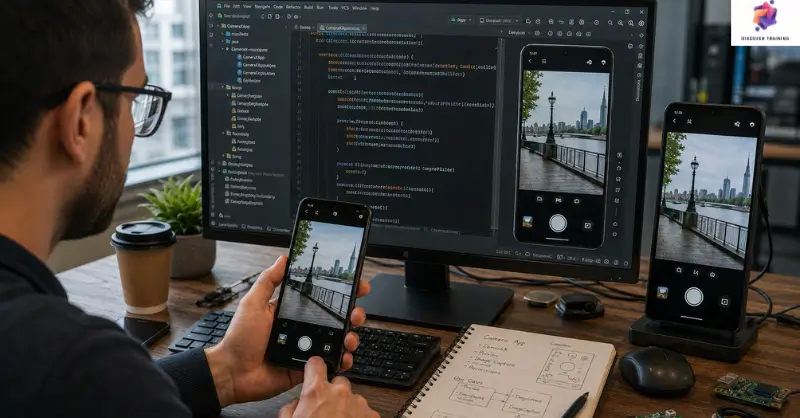
Camera app in Android Studio development involves creating mobile software that can access a device camera, display a live preview and capture photos or videos. This course introduces the essential stages of camera application development, from permissions and camera preview to rotation, flash controls, picture callbacks and video recording. Furthermore, learners explore the Android camera API while working with layouts and application features. Therefore, the programme provides a focused introduction to mobile camera app development and custom camera app development using Android Studio.
A camera feature can turn a simple mobile application into something far more engaging. This course guides learners through the process of creating a functional camera application, beginning with permissions and project configuration. First, the curriculum introduces Android Studio app development and explains how camera access can be prepared correctly. Next, learners work with camera previews, rotation controls and layout connections while exploring key development concepts.
The programme then introduces flash functionality, picture callbacks and photo capture features. In addition, learners discover how video recording can be incorporated into an application, creating a broader multimedia experience. Through Java Android development, the course demonstrates how different components can work together within a mobile interface. Moreover, the curriculum provides a suitable route for Android Studio for beginners who want to explore application creation through a focused project.
Finally, learners review bug fixing and interface improvements to refine the application. As a result, this Android camera app course can support learners interested in camera application development, mobile camera app development and wider Android app development course topics. The programme also introduces concepts relevant to the Android camera API, helping learners progress towards custom camera app development and broader mobile software projects.
Once the Learn How to Make a Camera App in Android Studio is successfully completed, the learner can obtain the PDF certificate without any cost. The hard copy of the certificate is also available for £4.99. However, anyone ordering the hard copy certificate from outside the United Kingdom may incur an additional delivery charge.
Android Developer
Creates and maintains applications for Android smartphones and tablets.
Average Salary: £40,000 – £65,000 per year
Mobile App Developer
Designs, develops and maintains mobile applications for different platforms and devices.
Average Salary: £40,000 – £70,000 per year
Android Software Engineer
Builds, tests and improves Android-based software and application features.
Average Salary: £45,000 – £75,000 per year
Mobile Application Engineer
Works on application architecture, functionality, integration and performance for mobile devices.
Average Salary: £45,000 – £75,000 per year
Software Developer
Develops software solutions, writes code and maintains digital applications across various environments.
Average Salary: £40,000 – £70,000 per year
Application Developer
Creates and maintains software applications according to technical and user requirements.
Average Salary: £40,000 – £65,000 per year
It covers permissions, camera preview, rotation, flash, photo capture, video recording and bug fixing.
Yes. The curriculum introduces the required concepts progressively, making it suitable for learners starting with Android Studio.
Yes. The course guides learners through the main components required to build a camera app in Android Studio.
Yes. Learners explore concepts related to the Android camera API, including preview, capture and recording features.
The curriculum focuses on Java Android development while building the camera application.
An outstanding online course with clear explanations and practical examples. I could study at my own pace and still feel fully supported throughout. It’s truly boosted my confidence and career prospects
The course was well-structured, engaging, and easy to follow. The flexibility made it perfect alongside my full-time job. I’ve gained valuable, real-world skills that I can apply immediately.
Excellent learning experience from start to finish. The content was professional, up-to-date, and highly relevant. I would highly recommend it to anyone looking to upskill online.
| Learn How to Make a Camera App in Android Studio | |||
| Module 01: Android App Development Course Camera App Permissions Setup | 00:27:00 | ||
| Module 02: Setting Up Camera Preview and RotateCameraFeature | 00:28:00 | ||
| Module 03: Connecting Camera to Layout and set up flash feature | 00:31:00 | ||
| Module 04: Picture Call-back and Take Photo Feature | 00:29:00 | ||
| Module 05: Record Video Feature | 00:30:00 | ||
| Module 06: Fix Bugs and Improve UI | 00:30:00 | ||
Yes, Discover Training provides accredited and CPD-certified courses, ensuring learners receive recognised qualifications that support career progression and professional compliance.
Anyone can enrol, including students, professionals, job seekers, career changers, and organisations. Most courses do not require previous experience, making them accessible to learners at all levels.
Discover Training offers courses across multiple sectors, including business, health and safety, compliance, leadership, IT, personal development, and professional skills training.
You will have 14 days to revoke your Course purchase from your purchase date. Regrettably, refunds are not allowed after your purchase have been approved, and materials have been posted to the student’s dashboard or accessed.
Yes, learners receive a downloadable digital certificate upon successful completion, suitable for CPD records, CVs, and professional portfolios.
14-Day Money-Back Guarantee

