Overview

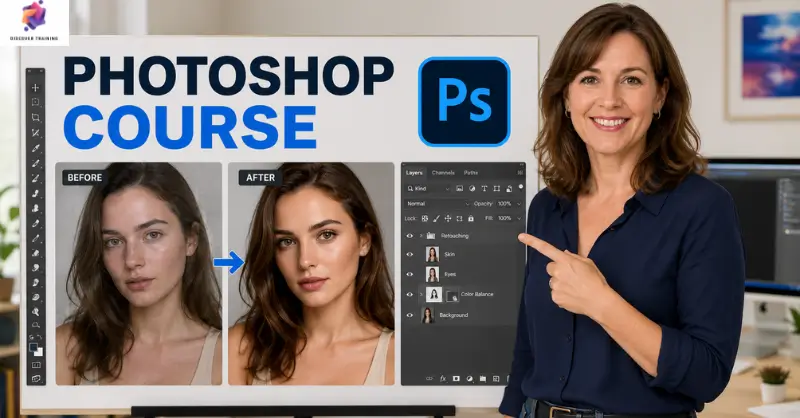
Photoshop course introduces learners to the essential tools and workflows used to create, edit and enhance digital images. The programme begins with Adobe Photoshop’s interface, licensing options and basic file types before progressing through canvases, layers, colours, shapes and selection tools. Furthermore, learners explore image placement, sizing, transparency, cropping, rotation, text and layer styles. As a result, this Adobe Photoshop course provides a structured foundation for photo editing with Photoshop, Photoshop image editing, creative composition and modern visual design.

Course Description

Turn an ordinary image into polished visual content with a structured Photoshop training course designed around the essential features of Adobe Photoshop. First, learners explore the workspace, canvas, file formats and layers before moving into shapes, colours, the Paint Bucket, Eraser and Text tools. Alongside these foundations, the course introduces Photoshop for beginners, making the software easier to navigate while developing useful Adobe Photoshop skills.

Next, the programme focuses on image handling, sizing and transparent layers, helping learners work confidently with different visual elements. Through graphic design with Photoshop, participants discover how separate components can be arranged into cohesive compositions. Meanwhile, Photoshop design techniques provide useful methods for cropping, positioning, rotating and styling images. Consequently, learners can develop a clearer workflow for creative projects involving photographs, graphics and text.

Finally, the curriculum brings these elements together through digital photo retouching and broader professional Photoshop training concepts. The course supports creative learners, aspiring designers and anyone seeking stronger visual editing abilities. Therefore, photo editing with Photoshop, Photoshop image editing and Adobe Photoshop skills become valuable foundations for digital content creation, marketing materials and graphic projects.

Learning Outcomes

Who Is This Course For?

Certification

Once the Photoshop course is successfully completed, the learner can obtain the PDF certificate without any cost. The hard copy of the certificate is also available for £4.99. However, anyone ordering the hard copy certificate from outside the United Kingdom may incur an additional delivery charge.

Career Path

Graphic Designer
Creates visual materials for branding, advertising, publications and digital media using creative design software.
Average Salary: £40,000 – £55,000 per year

Digital Designer
Develops visual assets for websites, campaigns, social platforms and other digital environments.
Average Salary: £40,000 – £55,000 per year

Photo Retoucher
Enhances photographs through colour correction, image refinement, compositing and digital photo retouching techniques.
Average Salary: £40,000 – £50,000 per year

Visual Content Designer
Produces engaging graphics for marketing campaigns, online platforms and branded communications.
Average Salary: £40,000 – £55,000 per year

Creative Designer
Develops concepts and visual materials across advertising, branding, publishing and digital projects.
Average Salary: £42,000 – £58,000 per year

Art Director
Guides the visual direction of creative campaigns, ensuring consistency across design, imagery and brand communication.
Average Salary: £50,000 – £70,000 per year

Schema Markup

Frequently Asked Questions (FAQs)

A Photoshop course covers the interface, layers, colours, images, text, cropping, sizing, transparency and layer styles.

Yes. The curriculum introduces fundamental tools and workflows, making the Adobe Photoshop course suitable for learners starting from the basics.

Yes. Photo editing with Photoshop is supported through lessons covering images, sizing, cropping, colours, rotation and layer-based editing.

Learners develop Adobe Photoshop skills, including workspace navigation, layer management, image adjustment, text placement and creative composition.

Yes. Photoshop design techniques are widely useful for graphic design, digital content, advertising, marketing and visual communication roles.

Photoshop Course Course Reviews

Excellent

4.9 / 5
Based on 31 reviews

98%

Would Recommend

369

Certified Learners

100%

Authentic Reviews

An outstanding online course with clear explanations and practical examples. I could study at my own pace and still feel fully supported throughout. It’s truly boosted my confidence and career prospects

The course was well-structured, engaging, and easy to follow. The flexibility made it perfect alongside my full-time job. I’ve gained valuable, real-world skills that I can apply immediately.

Excellent learning experience from start to finish. The content was professional, up-to-date, and highly relevant. I would highly recommend it to anyone looking to upskill online.

Course Curriculum

Section 01: Beginner Photoshop Course
Overview 00:02:00
Pricing and Licensing Options 00:02:00
Basic File Types and Options 00:02:00
Working with the Interface 00:02:00
Working with A Basic Canvas 00:03:00
Working with Layers 00:03:00
Working with the Move Tool 00:03:00
Working with Shapes 00:04:00
Module 09: Working with the Marquee Tool 00:03:00
Working with Colours 00:02:00
Working with the Paint bucket 00:03:00
Working with the Eraser Tool 00:03:00
Working with the Text Tool 00:04:00
Working with Images 00:03:00
Working with Sizing 00:03:00
Working With Transparent Layers 00:03:00
Using the Crop Tool 00:03:00
Working with Layer Styles 00:02:00
Working with Rotation of Images and Layers 00:03:00
Conclusion 00:01:00
Section 02: Advanced Photoshop Course
Overview 00:01:00
Having Graphic Designs Created 00:02:00
Making PSD Thumbnails Visible on Your PC 00:03:00
Creating A Simple Design – Part 1 00:05:00
Creating A Simple Design – Part 2 00:04:00
Changing the Background Image 00:03:00
Changing the Font or Text 00:02:00
Working with Photoshop Actions 00:02:00
Sources for Photoshop Actions 00:01:00
Selecting Photoshop Actions 00:02:00
Producing Photoshop Actions – Part 1 00:05:00
Show Transform Controls 00:02:00
Producing Photoshop Actions – Part 2 00:07:00
Creating a Multiple 3D Image Shot 00:04:00
Sizing of File Formats 00:01:00
Saving For Certain File Formats 00:02:00
Live Application – Part 1 00:03:00
Live Application – Part 2 00:02:00
Multiple Shot Live Application 00:03:00
Conclusion 00:01:00

Frequently Asked Questions

Yes, Discover Training provides accredited and CPD-certified courses, ensuring learners receive recognised qualifications that support career progression and professional compliance.

Anyone can enrol, including students, professionals, job seekers, career changers, and organisations. Most courses do not require previous experience, making them accessible to learners at all levels.

Discover Training offers courses across multiple sectors, including business, health and safety, compliance, leadership, IT, personal development, and professional skills training.

You will have 14 days to revoke your Course purchase from your purchase date. Regrettably, refunds are not allowed after your purchase have been approved, and materials have been posted to the student’s dashboard or accessed.

Yes, learners receive a downloadable digital certificate upon successful completion, suitable for CPD records, CVs, and professional portfolios.

Photoshop course
£21
TAKE THIS COURSE

14-Day Money-Back Guarantee

This course includes:
  • units Number of Units:
    40
  • Lock Access:
    1 Year
  • Duration Duration:
    1 hour, 49 minutes
  • Certificate PDF Certificate
    Included
CPD and SSL Lifetime Access

Discover Training provides high-quality online courses covering a variety of topics along with certificates issued by top organisations.

Certificate Validator​

Copyright © 2026 Discover Training, trading under GTECHNICS LTD (Company number 14290557)

Company registered in England and Wales. ALL RIGHTS RESERVED.

top