Overview

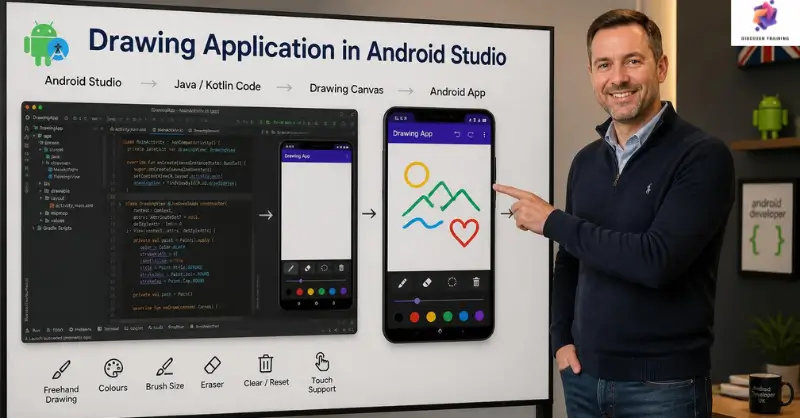
Drawing application in Android Studio introduces learners to the foundations of creating a simple mobile drawing tool using Android Studio. This Android drawing app course covers interface creation, Paint View implementation, brush controls and drawing management. Furthermore, learners explore drawing application development through a focused project involving brush size, brush colour and clearing the canvas. The curriculum also introduces Android Studio app development, build a drawing app concepts, Android drawing application design and Android Studio for beginners through a concise, project-focused learning path.

Course Description

Turn a simple idea into an interactive mobile canvas with this focused Android drawing app course. Designed for learners interested in drawing application development, the programme begins by introducing the Android Studio interface and creating the user interface for a Paint View. First, learners explore the foundations of Android Studio app development while setting up the core components required to build a drawing app. Moreover, the structured lessons make Android Studio for beginners more approachable through a clearly defined application project.

Next, the course focuses on completing the Paint View class and developing the core drawing functionality. Learners explore how an Android drawing application can respond to user interaction while creating a foundation for mobile drawing app development. In addition, the curriculum introduces controls for changing brush size and colour, alongside a feature for clearing existing drawings. Consequently, learners can see how individual interface elements contribute to a functional application.

Finally, this custom drawing app development project provides an introduction to concepts relevant to Java Android development and an Android canvas drawing tutorial approach. Therefore, learners can explore how drawing features are structured within an Android project and use the concepts as a foundation for future mobile applications.

Learning Outcomes

Who Is This Course For?

Certification

Once the Drawing Application in Android Studio is successfully completed, the learner can obtain the PDF certificate without any cost. The hard copy of the certificate is also available for £4.99. However, anyone ordering the hard copy certificate from outside the United Kingdom may incur an additional delivery charge.

Career Path

Android Developer
Creates and maintains applications for Android devices using programming languages, development tools and mobile frameworks.
Average Salary: £40,000 – £65,000 per year

Mobile App Developer
Develops mobile applications with user interfaces, interactive features and device-focused functionality.
Average Salary: £40,000 – £65,000 per year

Java Developer
Creates software solutions using Java for applications, services and technology platforms.
Average Salary: £45,000 – £70,000 per year

Android Application Developer
Focuses on designing, coding and maintaining applications specifically for Android platforms.
Average Salary: £40,000 – £65,000 per year

Mobile Software Engineer
Builds and maintains mobile software while working with application architecture, coding and development processes.
Average Salary: £45,000 – £75,000 per year

Software Developer
Designs, develops and maintains software solutions across different platforms and technology environments.
Average Salary: £45,000 – £70,000 per year

Schema Markup

Frequently Asked Questions (FAQs)

An Android drawing app course teaches learners how to create a basic drawing application using Android Studio, Paint View and interactive brush features.

Yes. Android Studio for beginners is supported through a focused project that introduces interface creation and core drawing functionality.

The course covers drawing functionality, brush size adjustment, brush colour selection and clearing the canvas.

Yes. The project provides an introduction to concepts relevant to Java Android development while building an interactive mobile application.

Yes. The programme introduces mobile drawing app development and provides a foundation for creating interactive Android applications.

Drawing Application in Android Studio Course Reviews

Excellent

4.9 / 5
Based on 31 reviews

98%

Would Recommend

311

Certified Learners

100%

Authentic Reviews

An outstanding online course with clear explanations and practical examples. I could study at my own pace and still feel fully supported throughout. It’s truly boosted my confidence and career prospects

The course was well-structured, engaging, and easy to follow. The flexibility made it perfect alongside my full-time job. I’ve gained valuable, real-world skills that I can apply immediately.

Excellent learning experience from start to finish. The content was professional, up-to-date, and highly relevant. I would highly recommend it to anyone looking to upskill online.

Course Curriculum

Drawing Application in Android Studio
Module 01: Android Studio Drawing App Course, Creating UI and Paint View 00:32:00
Module 02: Finishing the Paint View Class 00:26:00
Module 03: Clear Drawing, Brush Size and Brush Colour Features 00:29:00

Frequently Asked Questions

Yes, Discover Training provides accredited and CPD-certified courses, ensuring learners receive recognised qualifications that support career progression and professional compliance.

Anyone can enrol, including students, professionals, job seekers, career changers, and organisations. Most courses do not require previous experience, making them accessible to learners at all levels.

Discover Training offers courses across multiple sectors, including business, health and safety, compliance, leadership, IT, personal development, and professional skills training.

You will have 14 days to revoke your Course purchase from your purchase date. Regrettably, refunds are not allowed after your purchase have been approved, and materials have been posted to the student’s dashboard or accessed.

Yes, learners receive a downloadable digital certificate upon successful completion, suitable for CPD records, CVs, and professional portfolios.

Drawing Application in Android Studio
£21
TAKE THIS COURSE

14-Day Money-Back Guarantee

This course includes:
  • units Number of Units:
    3
  • Lock Access:
    1 Year
  • Duration Duration:
    1 hour, 27 minutes
  • Certificate PDF Certificate
    Included
CPD and SSL Lifetime Access

Discover Training provides high-quality online courses covering a variety of topics along with certificates issued by top organisations.

Certificate Validator​

Copyright © 2026 Discover Training, trading under GTECHNICS LTD (Company number 14290557)

Company registered in England and Wales. ALL RIGHTS RESERVED.

top